Always Providing You With Ongoing Information

Posts tagged ‘Gmail’

Google Is Tracking Your Purchases; See What Gmail Knows

Snapshot41_073

Google has tracking what you buy through your Gmail inbox and storing them in a Google Account page that was a secret. This purchase tracking has gone on for several years before being discovered. A list is created of your online shopping history that can stretch back five years. Google claims it is doing this to help its users keep track of everything they’ve purchased in one place — but people are seeing this as an invasion of privacy. Google says and has promised that you’re the only one who can see this data.

Here’s what you can do to delete the info Google has stored.

1. Google tracks multiple email types through Gmail, including purchases, payments, subscription services and reservations, say for hotels, cars and airline tickets. To view and manage them, start by navigating to https://myaccount.google.com/.

2. Select Payments & subscriptions.

3. From here, you can click into each grouping. You can view items here, which could include a subscription to YouTube or Google Photos.

4. Click into each item and tap “Remove reservation,” “Remover purchase” and so on to delete anything you don’t want stored in your Gmail account.

Manage your web and app activity

Your Web and App Activity includes searches through Google, Maps and Play. This is how you can update your settings. You’ll be able to pause activity from being recorded and delete anything that has been saved — especially private information.

1. Visit https://myaccount.google.com/.

2. Select Data & personalization.

3. Tap or click Manage your activity controls.

4. From here, you can turn off and delete activity being saved to Google. Even if you’re not online, Google is still able to keep track of your activity and will sync the data once you’re online, so keep your Web & App Activity off if you want to keep things private.

 

Gmail Adding More Functionality To Its Right-Click Menu

snapshot41_020

Users can expect to see this by February 23 2019.

Gmail’s Newest Features

Snapshotskirt4_001

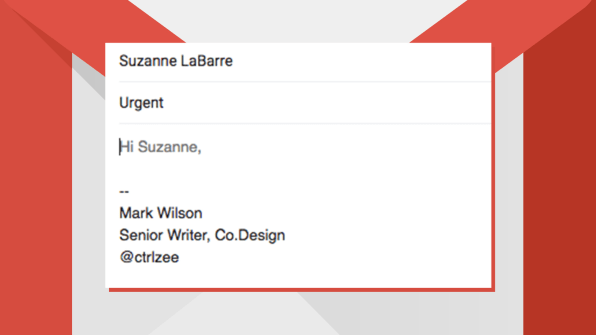
Google launched a new feature called Smart Compose that takes its AI writing much further. Smart Compose works a lot like Google’s own Autocomplete does in Search, popping up the things you might be about to say next. Simply by hitting tab, you can accept Google’s proposed words, add them to your copy, and move on to the next line of your email . . . for which Google might have even more suggestions.

To try it out, you’ll first need to turn on the “Enable experimental access” option within the General tab of the new Gmail’s settings. After you click the “Save Changes” button at the bottom of the screen, Gmail will refresh itself—and Smart Compose should then automatically be activated. You can confirm by going back into the General tab of the settings and looking for the newly added Smart Compose option. As long as “Writing suggestions on” is checked, you’re all set—and you should see Google’s predictive text show up periodically as you write new emails.

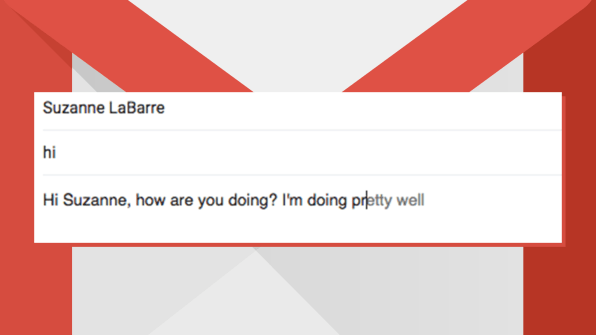
Google is very good at saying “hi”

[Source Image: Google]

Google is ready to schedule . . . perhaps to a fault

[Source Image: Google]

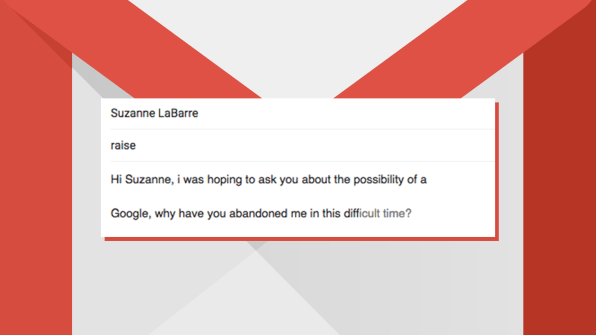
Google doesn’t seem interested in helping on serious topics

[Source Image: Google]
Click here for further assistance

Google Drive Has Been Updated To Look Like The New Gmail

cand29_001

Google has given Drive a surprise update with elements that make it look more like the new Gmail. The redesign doesn’t come with new features, but when you get it, you’ll notice that The Big G has changed the Drive interface background from gray to white for a cleaner look. Its boxes and icons now also have much rounded corners and look a bit taller than before, and Drive’s logo now has a more prominent place on the top left corner of the interface. You’ll also find that Google has shuffled Drive’s icons around, with the Settings and Help Center icons now in the same line as the search bar. . You’ll also find that Google has shuffled Drive’s icons around, with the Settings and Help Center icons now in the same line as the search bar.


Gmail’s New Feature Smart Compose

Image result for gmail

  Gmail has a new feature called Smart Compose. This feature allows for artificial intelligence to auto-fill information in the emails you compose in an effort to cut down on the time spent typing up mindless messages. If typing emails is truly one of the bane’s of your day-to-day existence, this feature is here to alleviate that stress. 

SUBJECT: Write emails faster with Smart Compose in Gmail

GMAIL Has A New Look

Snapshotfishnet8

Click On Gear icon top right to enable the new Gmail.

Google has not made this new Gmail default for everyone yet, so if you’re not seeing it, keep checking back. The rollout is supposed to be global for all 1.4 billion Gmail users.

Google Planning Self destructing eMail On Gmail

Snapshotmensuit11_001

The new Gmail design is reportedly due to launch at the I/O conference in May 2018. One of the new and much-talked features is the Confidential Mode that is reportedly debuting with the new Gmail. The Confidential Mode will offer functionalities that will disallow the recipient from performing the restricted actions on the email.

 The new feature called Confidential Mode for the Gmail that would let the email sender choose if the recipient can forward the email, copy or paste the email contents, download or print the email, or even flag the email with self-destruct option. While the recipient will lose his control on what he or she can do with the email sent in the Confidential Mode, the self-destruct feature will remove the email discreetly from the recipient’s Inbox.

Screenshots show that a sender can schedule an email to self-destruct for a particular time and date, after which the email would either be unreadable or vanish completely. In order to activate the Confidential Mode, the sender needs to tap on the lock icon in the Compose email pop-up box. In addition to scheduling the email for self-destructing, you can even assign a password to the email, so that the recipient, on getting the email, is required to enter the password to open it. As the name suggests, this email feature is for confidential emails that want the negligible attention of others.

Gmail New Design Coming Soon

Snapshotfishnet3_001

Those new features, in short, include:

  • A fresh, clean look for Gmail on the web.
  • Easy access to G Suite apps, such as Google Calendar, from within Gmail.
  • Smart Reply on the web, just like on mobile.
  • Ability to “snooze” emails and choose when they reappear in your inbox.
  • Offline support (native offline support in the new Gmail experience by June 2018)

Phishing Attacks Targeting Gmail Customers

Snapshotpinktop4_001

A phishing technique targeting Gmail and other services has been gaining popularity during the past year among attackers. Over the past few weeks there have been reports of experienced technical users being hit by this.

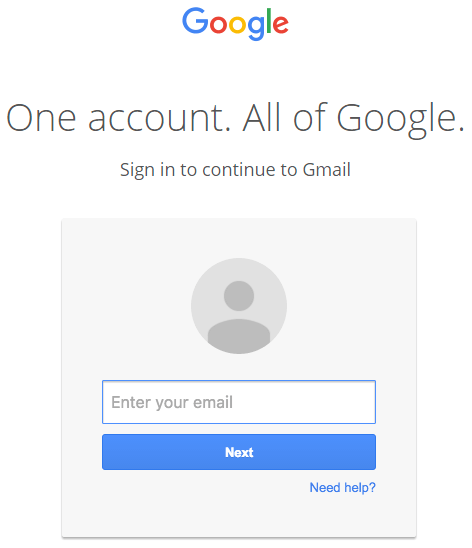
This attack is currently being used to target Gmail customers and is also targeting other services.The attacker will send an email to your Gmail account. That email may come from someone you know who has had their account hacked using this technique. It may also include something that looks like an image of an attachment you recognize from the sender.You click on the image, expecting Gmail to give you a preview of the attachment. Instead, a new tab opens up and you are prompted by Gmail to sign in again. You glance at the location bar and you see accounts.google.com in there. It looks like this….

You go ahead and sign in on a fully functional sign-in page that looks like this:

GMail data URI phishing sign-in page

Your account has been compromised once you complete sign-in.

Gmail’s Undo Send Feature


Snapshotpingreen9_001Snapshotpingreen8_001

Gmail has a undo sent mail feature

Gmail’s Undo Send Instructions Here

Hackers Charging Less Than 100 Bucks To hack Gmail

typing4_001

There are a bunch of them on forums. These hackers remain anonymous, offering certain services, and demand decentralized payment. hacking a Gmail account goes for 90 bucks.

One post on an underground hacking forum claims it will “Website hack or ddos. Paying well.” The poster explained that they wanted a WordPress-built website down. While this person would not provide reasons, he or she did add that the bounty was as much as “2k euro.”

A tool to hack Facebook accounts: $19.99 for 3 months

On this same forum you can find a post for a downloadable tool called Facebook Hacker, which allows users hack into Facebook accounts. It claims that it can “hack any Facebook,”  People responding to this thread claimed the service worked.

One popular hacker offering involves boosting Yelp ratings. Many offer services for posting positive Yelp reviews for a price. They can go as low as $3 a pop. Other, more savvy individuals say they’ve figured out how to remove bad reviews. Some hackers even offer months-long services for a set fee

Facebook account access: $350

Facebook account access: $350

HackersList

Another post on HackersList requested help accessing a Facebook account. The description for the project is somewhat amusing; “I need to get into a facebook page. Long short of it is I must know whats going on and I have no other choice (sic).” This plea successfully closed with a $350 bid

Hilton HHonors Points: $15

Earlier this year Hilton reportedly admitted that its rewards program HHonors had been vulnerable to a breach which potentially put many members’ passwords and PINs at risk. Even though Hilton reportedly patched the problem and urged all customers to change their passwords, hackers are still offering ways to hack into HHonors member accounts and steal their points. While individual accounts go for as little as $3, some hackers have set up configurations to crack into multiple accounts. These go for about $15.

Netflix passwords: $1.25

PayIvy

One easy find online are hacked Netflix accounts. You can find numerous postings on a number of hacking forums hawking individual Netflix credentials. They go for about $1.25 a pop. A site called PayIvy recently made headlines when hackers put their loot on the PayIvy marketplace, getting payed anonymously via PayPal. While many hacked Netflix accounts are still available on PayIvy, the company claims that it will scrub all illegal content from its marketplace later this month


Gmail Back ,Moving Slowly In China

Snapshotinterview8_001


Access to Gmail returning to China, after a four-day disruption knocked out virtually all access to the popular email service from Google.

They are not sure what caused the outage last week. In a statement, a Google spokesman said the company had checked its systems and “there’s nothing technically wrong on our end.”

There was widespread speculation that Beijing’s surveillance and censorship program was responsible for the Gmail outage. The email service had been spotty for months, ever since officials cracked down on a number of Google’s myriad Internet services in anticipation of the 25th anniversary of the Tiananmen Square protests. According to GreatFire.org, an organization that monitors Chinese censorship, users were still able to access Gmail through third-party email clients. But even that workaround was disrupted during the latest outage, the group said, after officials apparently began to block large numbers of IP addresses used by Gmail. An op-ed in the state-run Global Times newspaper called claims that the Chinese government blocked access “dubious,” and blamed Google, which it said “values more its reluctance to be restricted by Chinese law, resulting in conflict.”

Google’s Gmail Will Read Your Private Messages

Snapshot_034

People sending email to any of Google’s 425 million Gmail users should not expect  that their communications are confidential, Google has said in a court filing.

Consumer Watchdog, the advocacy group that uncovered the filing, called the revelation a “stunning admission.” It comes as Google and its peers are under pressure to explain their role in the National Security Agency’s (NSA) mass surveillance of US citizens and foreign nationals.

John Simpson, Consumer Watchdog’s privacy project director. said “Google has finally admitted they don’t respect privacy, and people should take them at their word; if you care about your email correspondents’ privacy, don’t use Gmail.”

Google is attempting to dismiss a class action lawsuit that accuses the tech giant of breaking wire tap laws when it scans emails sent from non-Google accounts in order to target ads to Gmail users.

That suit, filed in May, claims Google “unlawfully opens up, reads, and acquires the content of people’s private email messages”. It quotes Eric Schmidt, Google’s executive chairman: “Google policy is to get right up to the creepy line and not cross it.”


Tag Cloud